Filestack vs. Simple File Upload for CDN Delivery

Looking for the best CDN file delivery solution? Here’s a quick breakdown of two popular platforms: Filestack and Simple File Upload. Both offer global file delivery, but they cater to different needs:
- Filestack: Best for enterprise-level projects needing advanced features like AI tools, multi-cloud storage, and high reliability (99.999% upload success rate). Starts at $59/month.
- Simple File Upload: Perfect for small teams or startups seeking quick setup (5 minutes) and built-in storage without complex configurations. Starts at $35/month.
Key differences:
- Filestack provides extensive customization, automation, and integrations with 20+ sources but requires more setup time.
- Simple File Upload prioritizes simplicity and ease of use, with AI features like auto alt-text generation and background removal.
Quick Comparison:
| Feature | Simple File Upload | Filestack |
|---|---|---|
| Setup Time | 5 minutes | Varies (hours to days) |
| Pricing (Basic Plan) | $35/month | $59/month |
| Upload Success Rate | Not specified | 99.999% |
| AI Features | Alt-text, background removal | OCR, image captioning |
| Storage | Built-in, no setup needed | Multi-cloud options |
| Custom CNAME | Yes | Yes |
| Developer Tools | Simple web components | Low-code SDKs & APIs |
Bottom line: Choose Simple File Upload for fast deployment and simplicity. Opt for Filestack if you need advanced tools and scalability for complex workflows.
Content Delivery Networks (CDN) Explained | How Websites Load Fast Globally
Filestack Overview
Filestack is a cloud-based platform designed to manage files throughout their entire lifecycle. From uploading and processing to delivering files globally through a CDN, Filestack ensures smooth and dependable file handling across various network environments.
With billions of uploads and downloads processed every month, Filestack demonstrates its ability to handle enterprise-level demands. It guarantees successful uploads, seamless file transformations, and fast global delivery, making it an essential tool for developers managing large-scale workflows.
Filestack Features
Intelligent Ingestion™ is a standout feature that adapts to real-time network conditions, maintaining an impressive 99.999% upload success rate - even on unreliable connections. This reliability is crucial for apps operating in areas with inconsistent network access.
Filestack supports uploads from over 20 integrated sources, including local devices, Dropbox, Google Drive, Instagram, and Facebook. This wide range of options simplifies the process of gathering files from multiple platforms.
The platform also excels in real-time file transformations. Using its API, developers can perform tasks like resizing, cropping, format conversion, and rotation on images and documents. Advanced AI tools, such as image captioning and OCR, further enhance content analysis. For non-technical users, the Transformation UI simplifies these processes, allowing tasks like resizing images for social media or converting file formats to be handled without developer involvement.
When it comes to CDN delivery, Filestack provides default caching for 30 days, with options to extend up to a year. Developers can also instantly purge outdated files from the cache whenever updates are required.
To ensure security, Filestack employs TLS encryption, a web application firewall, and instant file purging for sensitive data.
Developer Tools and Integration
Filestack offers a low-code integration approach, making it easy to incorporate into any tech stack with minimal effort. SDKs are available for a wide range of programming languages and frameworks, streamlining the integration process.
The Document Viewer feature enhances user experience by allowing files to be previewed directly in the browser, eliminating the need for downloads. This feature is especially useful for applications that handle a large volume of documents.
For storage, Filestack provides flexibility. While files are stored on its infrastructure by default, developers can opt for direct uploads to third-party storage providers like AWS S3, Azure Blob Storage, Dropbox, and Google Cloud Storage. This flexibility ensures compliance with existing infrastructure and storage requirements.
The low-code Workflow tool automates repetitive file processing tasks such as virus scanning, image optimization, and metadata extraction. By configuring workflows through Filestack's interface, developers can save significant time on development and maintenance.
For businesses focused on brand consistency, Filestack supports custom CNAMEs. This feature allows companies to serve files through their own domain names instead of generic Filestack URLs, which is especially valuable for customer-facing applications.
Filestack also provides extensive documentation, code samples, and workflow tools to support both technical and non-technical teams, ensuring that everyone can make the most of its capabilities.
Simple File Upload Overview
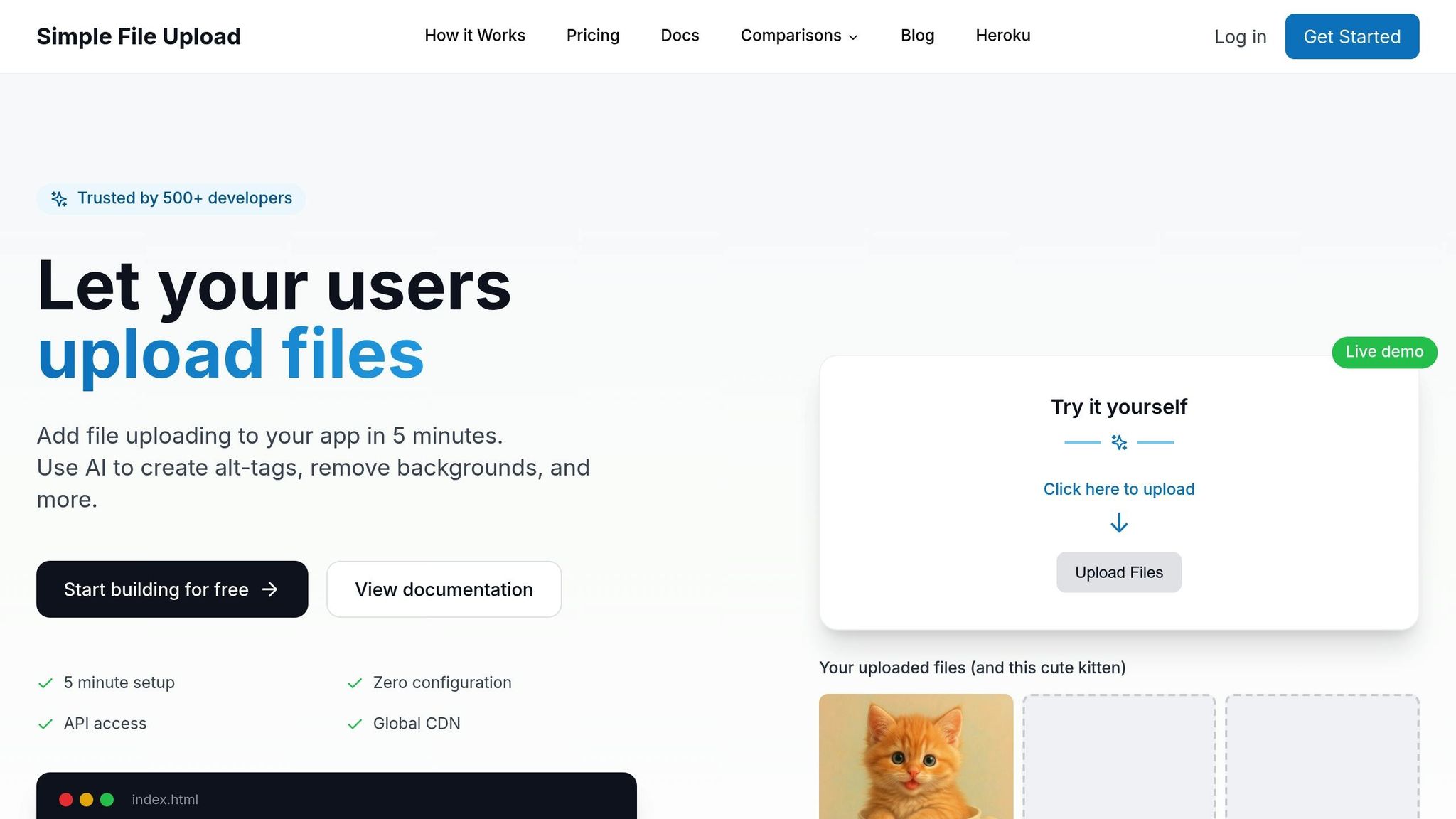
Simple File Upload makes file handling and CDN delivery a breeze, prioritizing ease of use and developer efficiency. Trusted by over 500 developers, it simplifies the often-complicated process of file management by offering a fully managed solution. From uploads to global delivery, everything is handled through a single integration, freeing developers to focus on building features that matter most.
"Stop fighting with file uploading. Simple File Upload allowed my team to stop fighting with file uploading and focus on what matters - our customers. We had the uploader up and running in 5 minutes! It really is that easy!" - Drew Clemens, Founder, Protege.dev
For developers in the U.S., the platform solves common infrastructure headaches. Instead of wrestling with AWS S3 bucket policies, CORS settings, or IAM roles, developers can concentrate on building applications. Simple File Upload takes care of security, storage, and CDN configurations behind the scenes, making file management seamless from day one. Beyond the initial setup, its advanced features continue to simplify and improve file handling and delivery.
Simple File Upload Features
Simple File Upload stands out with its AI-driven tools, which bring efficiency and accessibility to file management. For example, the platform automatically generates alt-tags for uploaded images, ensuring compliance with accessibility standards - a critical consideration for businesses in the U.S. This feature removes the need for manual alt-tag creation, saving time and effort.
The platform also offers AI-powered background removal, making image editing simple and eliminating the need for additional services or complex integrations. This feature is especially useful for e-commerce platforms or apps with user-generated content.
Another standout feature is on-the-fly image transformations. Developers can resize, crop, and optimize images by tweaking URL parameters, eliminating the need for server-side image processing. This not only cuts down on infrastructure costs but also streamlines workflows.
With a global CDN spanning over 200 edge locations, Simple File Upload ensures fast, reliable file delivery both in the United States and internationally. Whether users are accessing content locally or from across the globe, the platform maintains consistent performance.
Additionally, direct cloud storage uploads enhance speed and efficiency by bypassing application servers. Free cloud storage is included, so developers don’t need to manage separate storage accounts or worry about scaling their infrastructure.
Developer Tools and Integration
Simple File Upload is designed for quick and easy integration. With a 5-minute setup process and a simple web component approach, developers can add file uploading functionality to their apps almost instantly. Using the <simple-file-upload> tag and an event listener, teams can implement uploads without hassle - perfect for projects on tight schedules.
"Fast file uploads from anywhere. File uploading can be complicated and time-consuming for developers. With Simple File Upload, we were able to install the uploader quickly and provide file uploading from anywhere to our customers." - Robin Warren, Chief Dogsbody, Cherry Wood Software
The platform supports a wide range of frontend frameworks, including React, Vue, Angular, Svelte, Next.js, Nuxt, Remix, and Astro. It also works seamlessly with backend languages like JavaScript, TypeScript, Python, Ruby, PHP, Go, Rust, and Java.
For installation, React developers can use npm or yarn, while those working with vanilla JavaScript can rely on CDN integration. This flexibility ensures that Simple File Upload fits naturally into any workflow.
Customization is another strong point. Developers can set file type restrictions, size limits, and define upload flows to suit their specific needs. For advanced use cases, API access allows programmatic control, while the prebuilt uploader widget is ready to handle standard scenarios right out of the box.
Feature Comparison
Building on the platform overviews, let’s delve into a side-by-side comparison of key features and automation options for efficient CDN file delivery. The table below outlines the strengths of each platform, followed by an analysis of their unique approaches.
Feature Comparison Table
| Feature | Simple File Upload | Filestack |
|---|---|---|
| CDN Delivery | Global CDN with 200+ edge locations | Yes, with customizable caching |
| File Transformation | On-the-fly transformations via URL parameters | Yes, with Transformation UI |
| AI Tools | AI-powered alt-text generation, background removal | OCR, image captioning |
| Storage Integration | Built-in cloud storage, no S3 setup needed | S3, Rackspace, Azure, Dropbox, Google Cloud |
| Setup Time | 5 minutes | Varies based on configuration |
| Upload Success Rate | Not specified | 99.999% (Intelligent Ingestion) |
| Custom CNAME | Yes | Yes |
| Progressive Images | Yes | Yes |
| Framework Support | React, Vue, Angular, Svelte, Next.js, Nuxt, Remix, Astro | API, SDKs, UI-based |
| Backend Languages | JavaScript, TypeScript, Python, Ruby, PHP, Go, Rust, Java | Multiple via APIs |
| Automation | Basic automation with AI features | Low-code Workflow tool |
| Third-party Sources | Not specified | 20+ integrated sources |
| Caching Policy | Not specified | 30 days default, extendable to 1 year |
Platform Differences
When it comes to global CDN performance and ease of integration, these platforms cater to different needs and audiences. Simple File Upload emphasizes speed and simplicity, making it a go-to option for developers seeking quick implementation without technical hurdles.
Simple File Upload shines with its fully managed infrastructure, removing the need for backend setup. This is especially beneficial for startups and small to medium-sized teams that prioritize efficiency over customization. Its AI-powered tools, like automatic alt-text generation, help businesses in the U.S. meet accessibility standards seamlessly, while the background removal feature eliminates the need for external image editing software - all integrated directly into the upload process.
On the other hand, Filestack targets enterprise-level users with a feature-rich platform. Its Intelligent Ingestion technology, which adapts to network conditions, ensures a 99.999% upload success rate, making it a reliable choice for teams dealing with diverse and sometimes inconsistent network environments in the U.S. However, this reliability comes with added complexity and a steeper learning curve.
The two platforms also differ in their approach to storage. Simple File Upload provides built-in cloud storage, eliminating the need for additional configurations, which is ideal for developers looking for a hassle-free solution. Meanwhile, Filestack supports a wide range of storage providers, offering flexibility for enterprises but requiring more technical know-how to set up.
Performance is another key differentiator. Simple File Upload’s 200+ edge locations ensure fast file delivery across the U.S. and globally. Its on-the-fly image transformations via URL parameters also streamline processing by reducing server load. Filestack, however, offers customizable caching policies, allowing developers to fine-tune caching durations (from 30 days to 1 year) but requiring a deeper understanding of caching principles.
For U.S.-based developers, Simple File Upload aligns well with the fast-moving startup culture and lean development practices typical of American tech companies. Its straightforward setup lets teams focus on building user-facing features instead of wrestling with backend infrastructure.
"File uploading can be complicated and time-consuming for developers. With Simple File Upload, we were able to install the uploader quickly and provide file uploading from anywhere to our customers." - Robin Warren, Chief Dogsbody, Cherry Wood Software
Automation is another area where the platforms diverge. Simple File Upload offers basic automation with its AI tools and direct cloud uploads, which are sufficient for most standard use cases. Filestack, however, provides a low-code Workflow tool, enabling more advanced automation for complex file processing needs.
Ultimately, the choice between these platforms comes down to your project’s complexity and available resources. Simple File Upload is the better fit for teams needing quick implementation, fully managed infrastructure, and essential features at a reasonable cost. In contrast, Filestack is ideal for projects requiring advanced automation, extensive integrations, and enterprise-level reliability, provided you have the budget and expertise to make full use of its capabilities.
Next, we’ll dive into pricing details to help you determine which platform best fits your budget and scale.
Pricing Comparison
When choosing between platforms, understanding their pricing structures is key to making the right choice. Simple File Upload and Filestack take different approaches, catering to businesses of various sizes and needs.
Pricing Table
| Feature | Simple File Upload | Filestack |
|---|---|---|
| Basic Plan | $35/month | $59/month |
| Mid-Tier Plan | $80/month (Pro) | Not specified |
| Enterprise Plan | $250/month (Custom) | Custom pricing |
| Storage (Basic) | 25 GB | Varies |
| Storage (Mid-Tier) | 100 GB | Not specified |
| Storage (Enterprise) | 500 GB | Custom |
| Max File Size (Basic) | 5 MB | Varies |
| Max File Size (Mid-Tier) | 50 MB | Not specified |
| Max File Size (Enterprise) | 50 MB | Custom |
| Free Trial | 7 days | Not specified |
| Hidden Fees | None | Potential overages |
| CDN Included | All plans | All plans |
| Cloud Storage | Built-in (no S3 needed) | Requires setup |
Simple File Upload's pricing starts at $35/month for its Basic plan, which includes 25 GB of storage and a 5 MB file size limit. This makes it a great option for startups or small businesses looking for a straightforward solution. The Pro plan, priced at $80/month, offers more flexibility with 100 GB of storage and a 50 MB file size limit, making it a solid choice for growing teams.
Filestack, on the other hand, starts at $59/month with features aimed at larger organizations. While this is about 69% higher than Simple File Upload's entry-level plan, the added cost may be worthwhile for businesses needing advanced tools like multi-cloud storage integrations and automation.
These pricing models highlight the platforms' differing priorities - Simple File Upload focuses on simplicity and affordability, while Filestack leans toward enterprise-grade functionality.
U.S. Billing Details
For U.S. businesses, clear and predictable billing is a priority. Simple File Upload stands out with its "No hidden fees" policy, ensuring that all costs are upfront. Every plan includes CDN delivery and built-in cloud storage, eliminating the need for additional services like Amazon S3, and simplifying budgeting.
Both platforms accept major credit cards and provide receipts that meet U.S. accounting standards. Customer support is readily available to address billing or technical issues, ensuring smooth operations.
Simple File Upload also offers a 7-day free trial, giving users a chance to explore the platform without commitment. Its tier-based upgrade system ensures cost predictability - when users exceed their current plan's limits, they simply move to the next tier. This avoids surprise overage charges, a common concern with Filestack, which may incur additional fees for exceeding usage limits.
For enterprise clients, Simple File Upload's Custom plan, priced at $250/month, includes premium features like one-on-one customer support and assistance with team integration. This reduces implementation time and minimizes strain on internal resources. Additionally, files are stored across two separate providers, ensuring reliability and eliminating single points of failure.
"Simple, transparent pricing. Start free, scale as you grow. No hidden fees." - Simple File Upload
For teams balancing budget and functionality, the $80/month Pro plan offers 100 GB of storage and a 50 MB file size limit. Its monthly billing cycle makes expense tracking and quarterly budgeting easier, avoiding the complications of annual commitments or fluctuating usage charges. This approach ensures steady cash flow management and keeps financial planning stress-free.
Integration and Setup
Getting a CDN integrated into your workflow shouldn’t be a roadblock. Both platforms promise a quick start, but they approach the process differently in terms of complexity and setup. Their goal remains the same: to provide smooth and efficient CDN delivery without unnecessary hassle.
Setup Process
Simple File Upload makes backend configurations incredibly straightforward with a 5-minute setup process that requires no server adjustments. To get started, you just add a single script tag to your HTML or install the npm package if you’re working on a React project. Once that’s done, all you need to do is drop the <simple-file-upload> web component into your application and include your public API key. That’s it - you’re ready to go.
The platform handles all the backend heavy lifting for you. There’s no need to mess with AWS S3 bucket policies, configure CORS, or manage IAM roles. Files are instantly accessible through a global CDN with over 200 edge locations, ensuring fast delivery across the United States and beyond.
For React developers, the process is even more streamlined. Install the package using npm install simple-file-upload-react, import the component, and add it to your JSX. It integrates seamlessly with popular frameworks like Next.js, Vue, and Angular, and supports backend languages such as Python, Ruby, PHP, Go, Rust, and Java.
Filestack, on the other hand, provides a rich set of SDKs, APIs, and UI widgets, but it requires additional steps for connecting to storage services and setting up CDN caching. Developers need to establish connections with storage providers like S3, Azure, or Google Cloud, and configure CDN caching settings, which default to 30 days but can be extended up to a year.
The trade-off with Filestack is flexibility versus simplicity. Its Intelligent Ingestion™ technology, which boasts a 99.999% upload success rate, adapts to changing network conditions. This makes it a strong choice for applications that deal with unreliable internet connections. However, this advanced functionality means the setup process can take anywhere from a few hours to several days.
Automation Options
Both platforms go beyond just CDN delivery by offering automation features that simplify file handling even further. Simple File Upload stands out with its zero-configuration design, where uploaded files are automatically processed, stored, and delivered via CDN without requiring any manual setup. Need to transform images? Just tweak the URL parameters - there’s no need for separate image processing servers or workflows.
As your application scales, Simple File Upload adjusts automatically. Increased traffic and storage needs are handled without requiring changes to your infrastructure. Files are redundantly stored across two providers, ensuring reliability for users in the U.S. and elsewhere.
For enterprise customers, the $250/month Custom plan includes a “Done for you” integration, which eliminates delays and makes the setup process completely hands-off.
Filestack, meanwhile, offers more advanced automation tools through its low-code workflow automation system. It supports uploads from over 20 sources, including cloud storage providers and social media platforms, making it a great fit for complex workflows. These features allow for routing files to different storage providers, applying transformations based on file types, and integrating seamlessly with existing cloud infrastructure. However, this level of control requires more upfront setup and ongoing maintenance.
For developers working with Heroku, the decision is straightforward. Simple File Upload is fully compatible with Heroku and even offers a dedicated add-on, while Filestack no longer supports Heroku deployments. This makes Simple File Upload the top choice for teams using Heroku, as it integrates effortlessly into the platform’s deployment and scaling workflows.
These automation features highlight the platforms’ dedication to providing efficient, scalable solutions tailored to the needs of developers in the U.S. and beyond.
Platform Selection Guide
Deciding between Filestack and Simple File Upload hinges on your project's complexity, timeline, and technical demands. Both platforms utilize global CDNs for file delivery, but they cater to different developer needs and project scopes. Building on the earlier comparisons, this guide breaks down the key factors to help you make the right choice.
Simple File Upload is ideal for developers seeking quick and hassle-free CDN integration. If you're working on a startup, managing a small team, or deploying with Heroku, this platform eliminates the challenges of configuring AWS. Drew Clemens, Founder of Protege.dev, shares his experience:
"Stop fighting with file uploading. Simple File Upload allowed my team to stop fighting with file uploading and focus on what matters - our customers. We had the uploader up and running in 5 minutes! It really is that easy!"
Simple File Upload starts at $35/month, includes a 7-day free trial, and is budget-friendly. Its straightforward pricing makes it a great choice for projects that value quick deployment and minimal setup.
Filestack, on the other hand, is designed for enterprise-level projects requiring advanced file processing. While it comes at a higher price of $59/month and lacks a free trial, it offers features like AI-driven transformations, multi-cloud storage, and a 99.999% upload success rate, powered by its Intelligent Ingestion™ technology. These capabilities are tailored for projects that demand precision and scalability.
Here's a quick comparison to help you decide:
| Decision Factor | Choose Simple File Upload | Choose Filestack |
|---|---|---|
| Budget | Under $50/month | $50+ monthly budget |
| Setup Time | Need deployment this week | Can invest days/weeks |
| Team Size | Small teams, startups | Enterprise development teams |
| Use Case | Using Heroku | Multi-cloud infrastructure |
| Features | Basic transformations sufficient | Need AI features, advanced processing |
For U.S. developers, both platforms support USD billing, but Simple File Upload’s transparent pricing simplifies budget management for small businesses. Filestack’s enterprise-grade features may be essential if your project requires strict data compliance or integration with a multi-cloud setup.
The trend among U.S. developers leans toward API-driven, cloud-based solutions that offer speed and scalability. Simple File Upload aligns with this approach by eliminating infrastructure challenges, while Filestack caters to those needing more control and advanced functionality.
Ultimately, your decision boils down to what matters most for your project - speed to market (Simple File Upload) or feature depth (Filestack). Many developers find that starting with a simpler solution and scaling as needed is often the smarter approach.
FAQs
What factors should startups and enterprises consider when choosing between Simple File Upload and Filestack for CDN delivery?
When choosing between Simple File Upload and Filestack, think about the size of your project and the features that matter most to you. If you're part of a startup or working on a smaller-scale project, Simple File Upload is a solid option. It offers an easy-to-use file uploader with handy tools like AI-powered alt-text generation, image transformations, and smooth integration with popular frameworks - perfect for lean teams.
On the other hand, if you're managing enterprise-level projects, your priorities might include larger storage capacities, advanced features, and dedicated support. Simple File Upload also caters to these needs with flexible pricing plans, including custom options tailored for enterprise-scale requirements.
How does Simple File Upload simplify file management and improve CDN delivery for developers?
Simple File Upload simplifies file handling with features like AI-generated alt text, image transformations, and delivery via a global CDN. These tools not only save developers time but also improve accessibility and ensure quick, dependable file delivery across the globe.
Built to integrate smoothly with popular frameworks and programming languages, Simple File Upload makes uploading and delivering files straightforward and efficient for developers.
Why is Simple File Upload a great choice for developers on Heroku, and how does it work with popular frameworks?
Simple File Upload is a great tool for developers working with Heroku, offering effortless integration to streamline file upload and delivery processes. It comes with a user-friendly file uploader that takes care of uploading, storage, and delivery through a global CDN, ensuring quick and reliable performance.
The platform works well with popular frameworks and programming languages, making it a flexible option for various web applications. Plus, features like AI-generated alt text and image transformations help developers improve accessibility and fine-tune media assets with ease.
Related Blog Posts
Ready to simplify uploads?
Join thousands of developers who trust Simple File Upload for seamless integration.